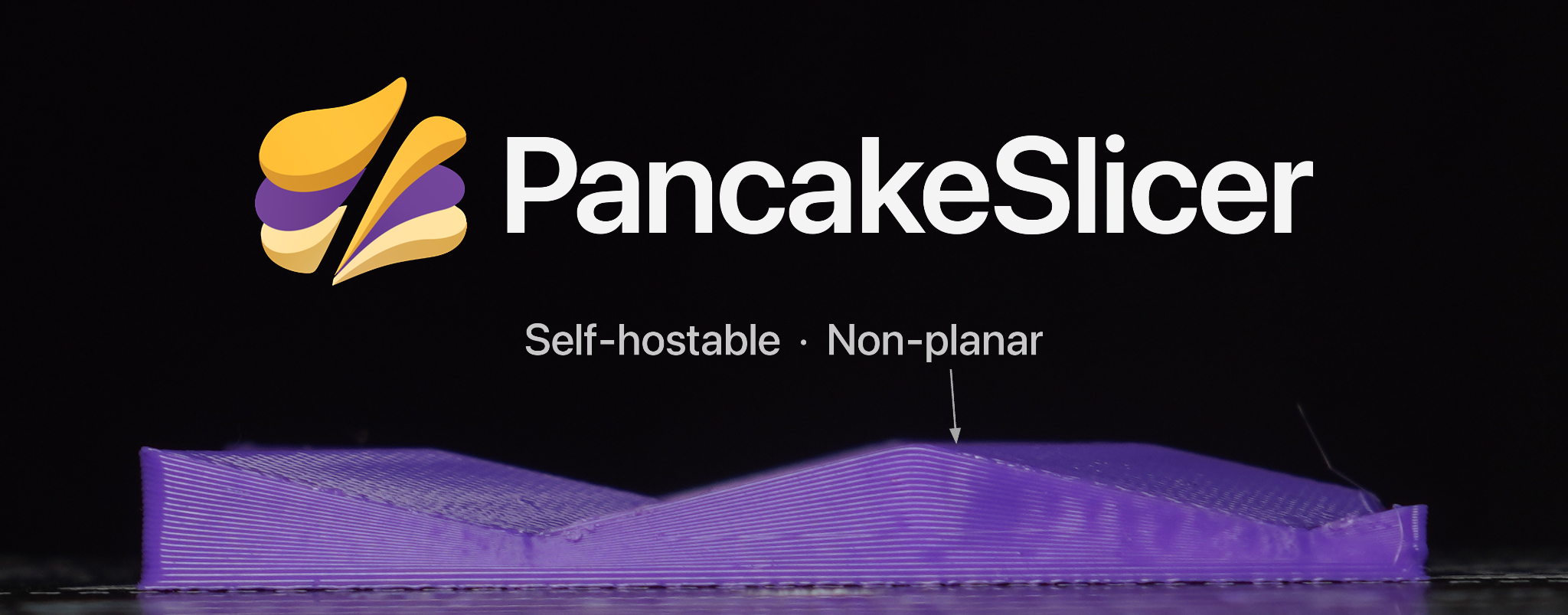
PancakeSlicer: Non-Planar 3D Printing on Three-Axis Machines, Even from a Browser
PancakeSlicer builds on OrcaSlicer with four non-planar slicing methods, browser access and self-hosting. We explore curved toolpaths, dynamic profiles and the physical limits of three-axis printers.
Why are we still printing in flat layers?
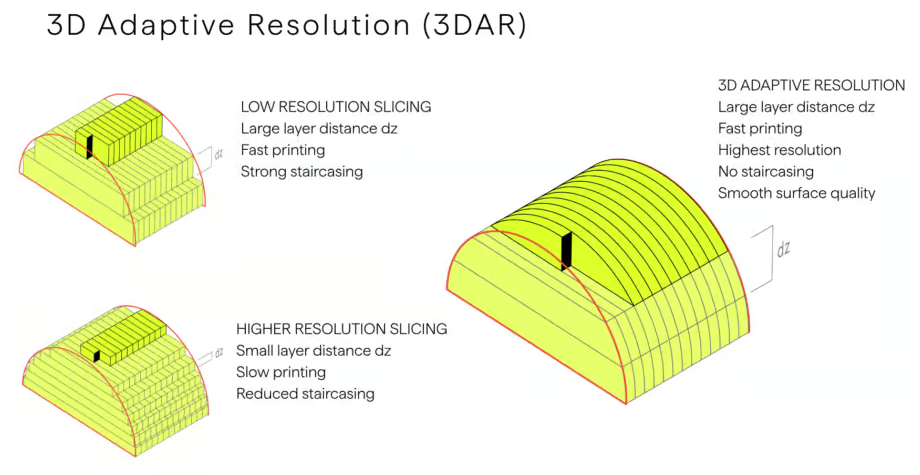
Most FDM/FFF slicers divide an object into horizontal layers. On sloping and curved surfaces, those layers leave the familiar staircase effect. A finer layer height can reduce the size of the steps, but does not fundamentally change the geometry. The open-source PancakeSlicer takes a different approach: selected toolpaths continuously vary the Z height while the nozzle moves in X and Y.
Its creator, Zimeng Xiong, asks an obvious question: if non-planar slicing has been the “next big thing” for years, why isn't everyone using it? The accompanying video explores the physics and limitations of three-axis non-planar printing rather than presenting curved toolpaths as a universal solution.
Four approaches, different trade-offs
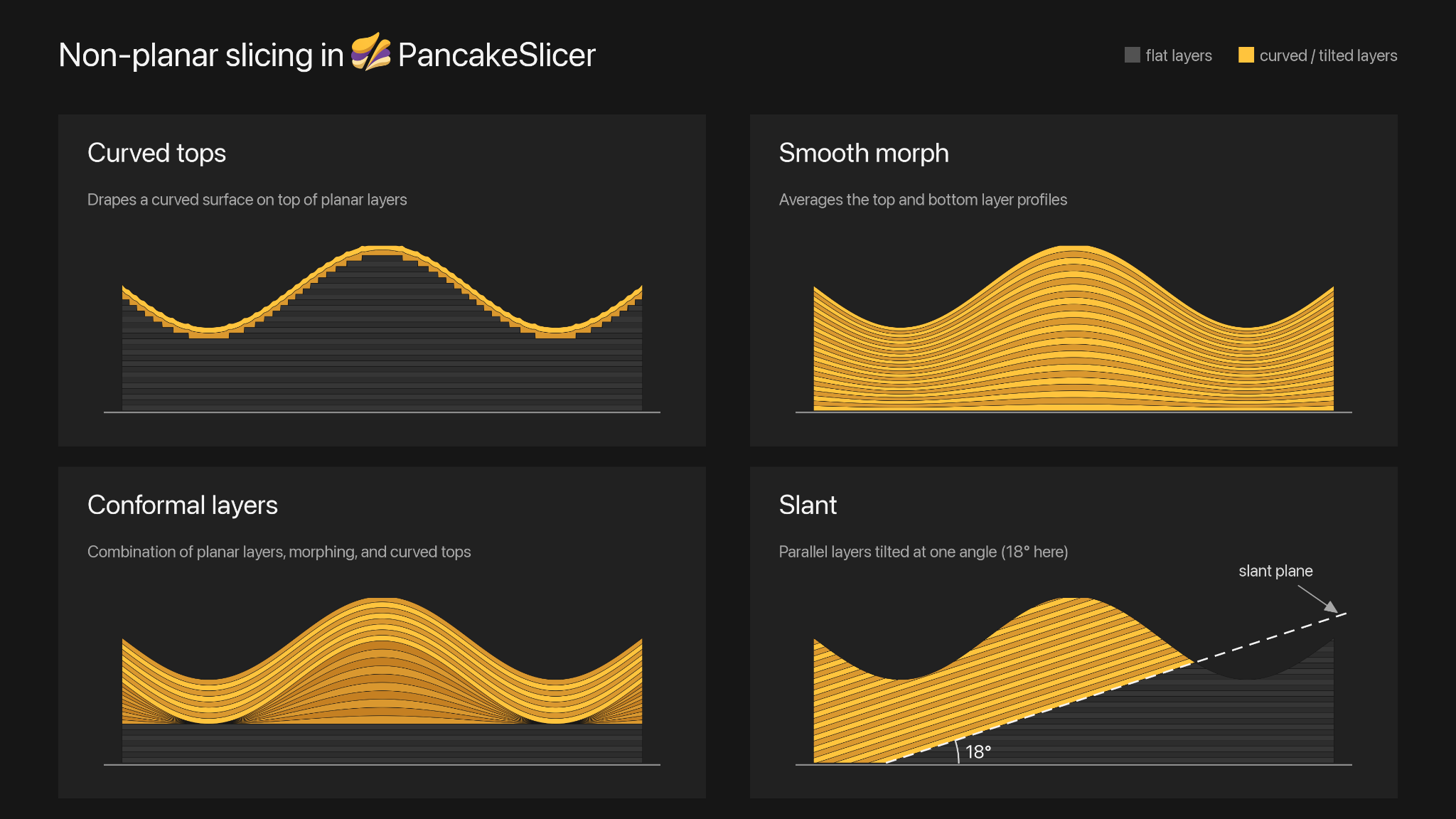
The project demonstrates four strategies for bending or tilting layers while respecting printer geometry:
- Curved tops: conventional flat layers below a set of curved finishing layers that follow the top surface.
- Smooth morph: gradually averages top and bottom layer profiles, distributing the deformation through a larger part of the object.
- Conformal layers: combines planar sections, transition regions and curved layers for a surface-following structure.
- Slant: uses mutually parallel layers tilted to one defined angle; the supplied diagram illustrates an 18° example.
The hard limit: the nozzle is not a five-axis tool
A conventional three-axis print head cannot tilt. As surface slopes get steeper, the heater block, fan shroud, probe or a second nozzle may collide with already printed geometry. Available clearance around the nozzle is often more important than the mathematical possibility of generating a curved path. This makes collision checking a mechanical as well as a geometric challenge.
For listed printer models, PancakeSlicer tests paths against an approximate model of the print head. Other printers can still be sliced, but a generic oversized head is used for collision checks, potentially limiting the output and creating uncertainty. These techniques exploit the three translation axes; they do not provide the orientation control of genuine five-axis manufacturing.
Controls and visual comparisons
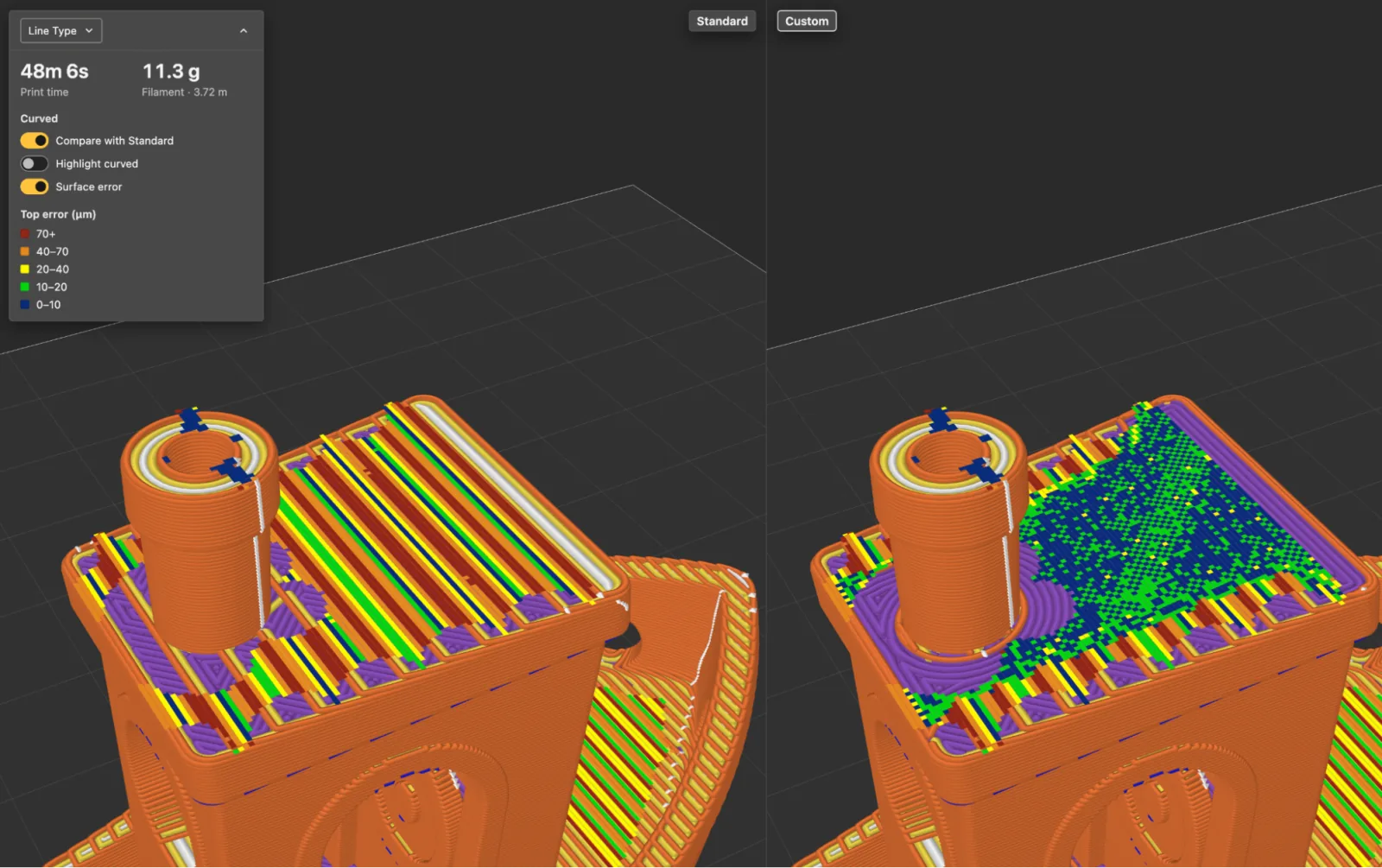
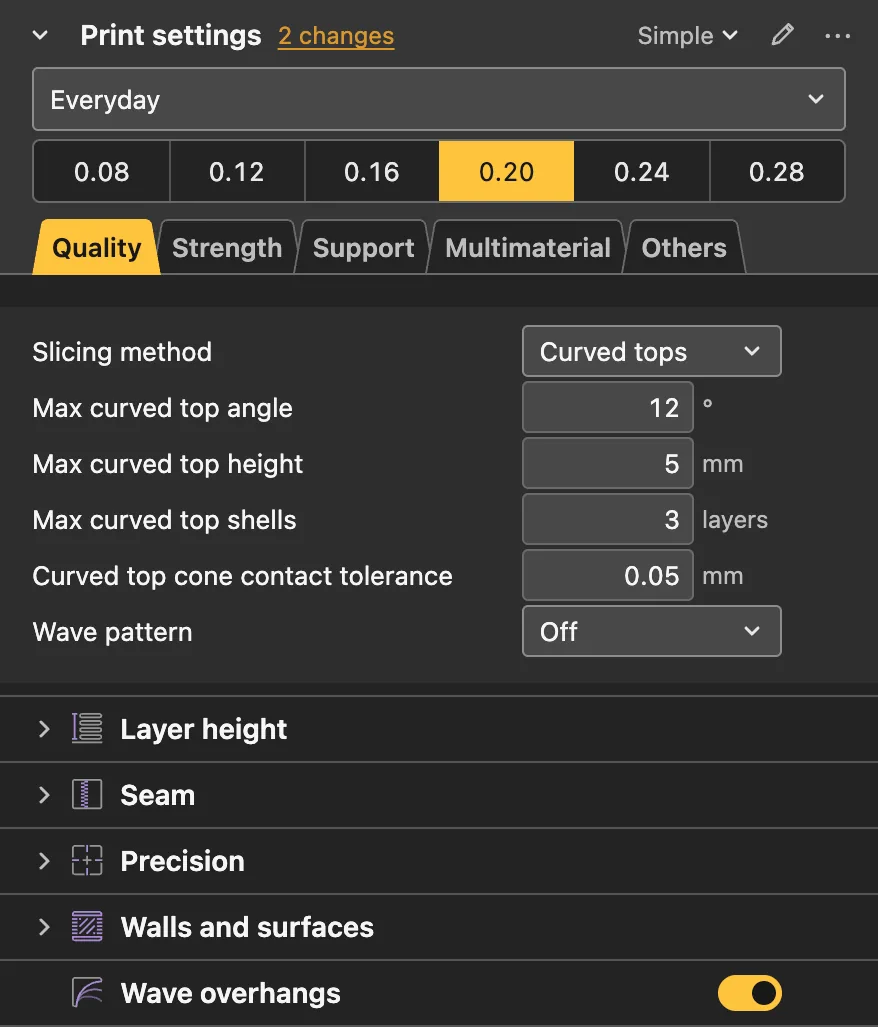
The Curved tops settings include a maximum angle, a maximum curved height and a number of curved top shells. One of the supplied screenshots shows 12°, 5 mm and three shells. Those are the values in that example, not universally safe parameters for every printer.
PancakeSlicer provides a side-by-side slicing comparison with surface-error estimation to help evaluate different strategies before printing. This is a useful inspection tool, not a replacement for independent measurements or physical fit checks.
Web-based, self-hostable and available on desktop
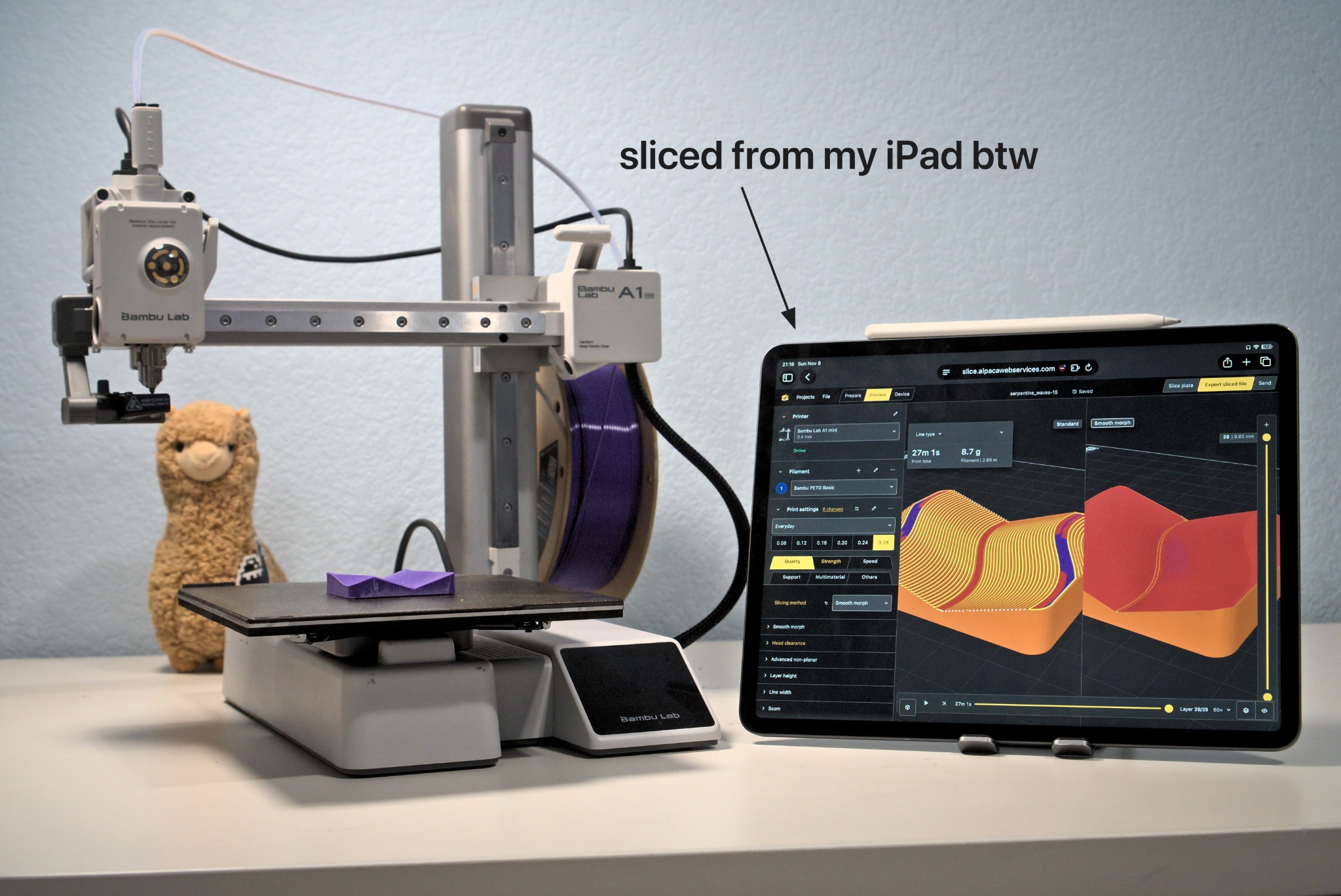
Built on the OrcaSlicer engine, PancakeSlicer provides a web interface and desktop builds. One of the supplied images shows the interface on an iPad beside a Bambu Lab A1 mini. The browser is the interface; the slicer also has a server-side processing component, so the image does not imply that an iPad alone performs every slicing operation.
The project is published under the AGPL-3.0 license. Users can run their own instance through Docker Compose or use the published container image. With a self-hosted setup, printer configurations, filament profiles and other settings can be centrally managed and accessed from different computers, tablets and phones, provided the administrator handles secure remote access.
Dynamic profiles rather than dozens of duplicates
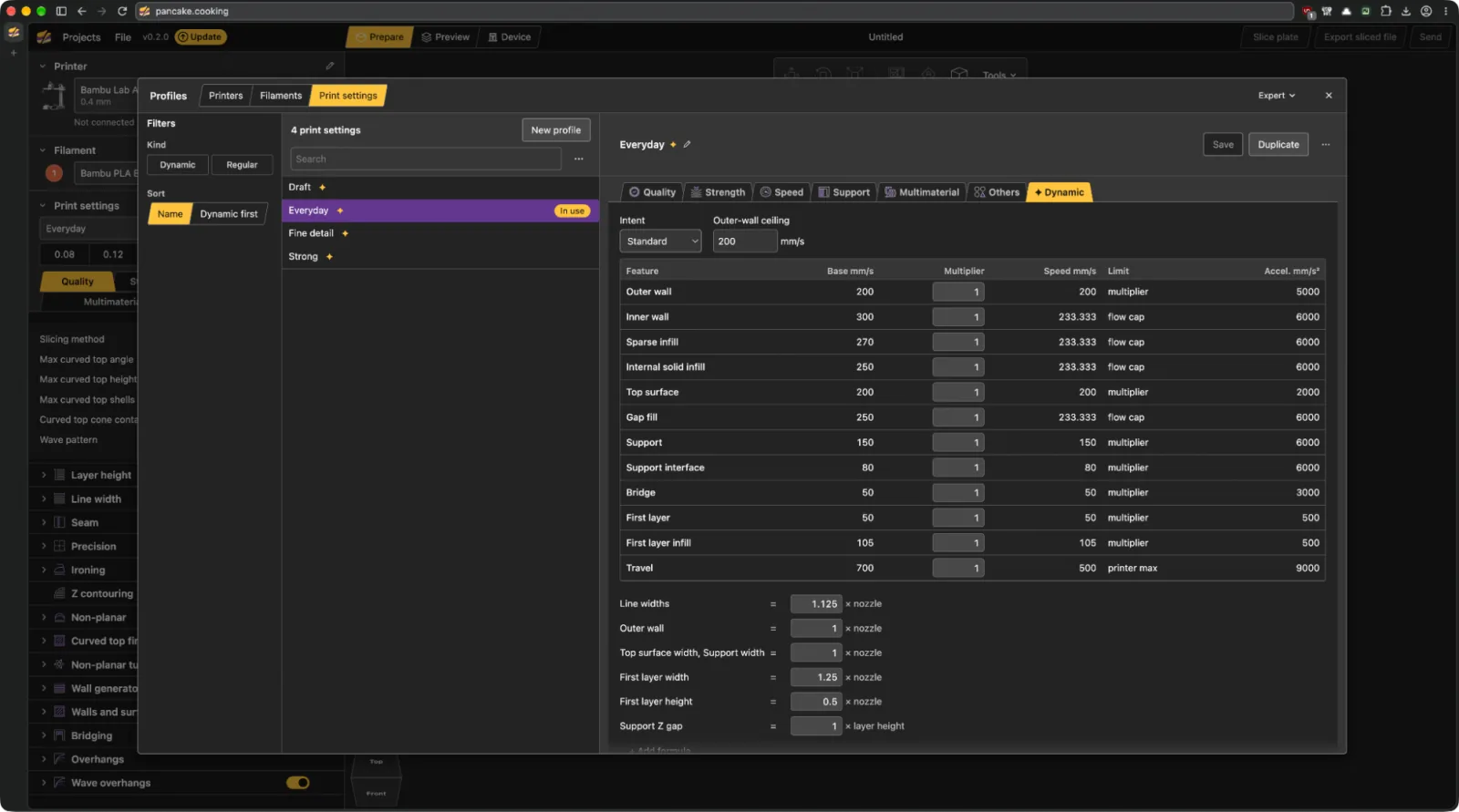
A second major design choice is the dynamic profiles system. Instead of maintaining a near-duplicate profile for each printer, nozzle size and layer height, PancakeSlicer starts with four intent-based presets: Draft, Everyday, Fine Detail and Strong. Values that can be calculated from layer height and nozzle diameter are derived automatically, with some printer-specific constraints handled separately.
The intention is to make meaningful settings such as walls, supports and infill easier to reuse across machines. It does not mean that all machines are mechanically identical. The supplied images show both the new profile editor and a traditional Bambu Studio machine/layer-specific profile.
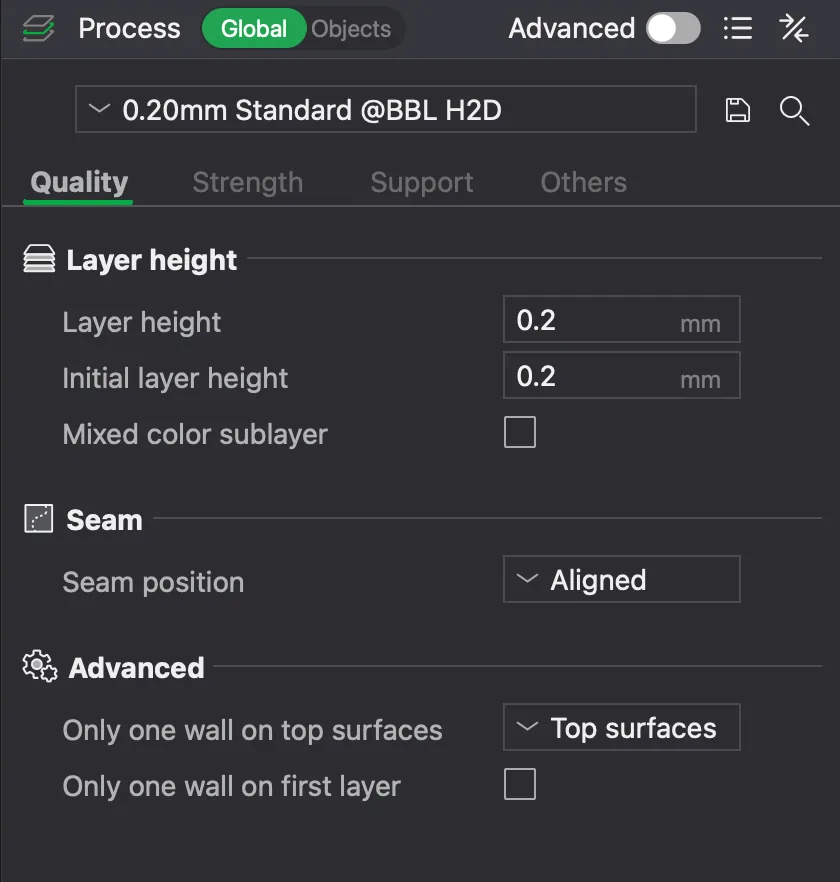
Printer compatibility – with an important warning
The project's README lists, among others, Bambu Lab A1/A1 mini, P1 and X1 models, Prusa MK4 and CORE One, Creality Ender-3 V3/K1/K2, Voron and Anycubic Kobra 3 families with print-head-model collision checking for curved top paths. This is not a certification and does not guarantee safe operation.
Machines such as certain Bambu H2D variants and Prusa MINI/MK3S models have significant restrictions due to a second nozzle or a low-mounted probe. The developer also notes incomplete or untested areas, including 3MF import and multi-nozzle workflows. The project remains a work in progress.
Experimental means experimental
The developer explicitly warns that non-planar G-code can permanently damage a printer. Even with a listed machine, users should inspect the G-code, check clearances around the print head and supervise tests. 3DPS is reporting the published material and supplied images; we have not independently verified collision safety or surface-quality improvements.
Try it and inspect the source
- PancakeSlicer online demo
- GitHub: source code, installation and compatibility
- Explainer video: I Solved the Biggest Problem in 3D Printing
- Project Discord community
3DPS perspective: PancakeSlicer's significance is not that it magically removes the limitations of three-axis printing. It provides accessible experiments, transparent comparison and a self-hosted workflow for techniques that have remained largely in research and specialist tools for years. That makes it an especially interesting project to follow.
Sources: Zimeng Xiong's video, the PancakeSlicer GitHub README and the seven original, user-provided project images reproduced without modification. Feature and compatibility details reflect the project as documented in November 2026.